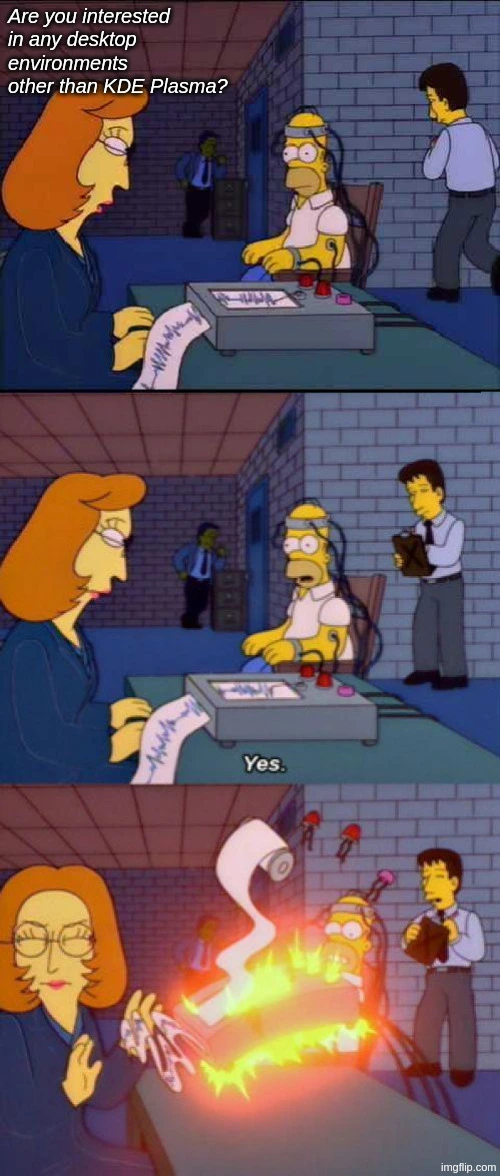
Khe Khing Kabout KDE Kis Kits Kobsession Kwith Kits Knaming Kheme.
They dropped that for new programs years ago.
That’s a pretty dumb reason, but that’s what’s been putting me off for so long. Oh well, I’m a konvert now…
At least I know what your least favorite fighting game franchise is.
Kreet Kriter? Kuper Kmash Kros? Gnortal Gnombat?
No. It’s Kekken, of course.
i used cinnamon in 2016 (worst time i think), then i briefly used gnome in '23. i’ve been using kde since '25 and i regret i have no desire to use anything else anymore.
want a tiling wm? - just install a plugin and customize kde within 5 minutes
want to build a mediabox with a simple ui for use with a remote on a tv? - just adjust the sizes and find one of a million widgets!
do you want the ms win98 look? - it’s 3 clicks away!
i am sure other DE’s may be better for my specific usecases. but the flexibility of kde gives me good enough results within a familiar environment. i can change my whole computer experience in a few clicks and revert whenever on the same de!
change wallpaper
Well, tiling window managers exist.
I would love to give GNOME an honest try, but there are so many ways in which it feels like it’s actively working against me. In KDE I can for example create as many panels as I want on as many monitors as I want. On GNOME? There’s an extension to put the panel on another monitor, but then you can’t use the dock. I guess the GNOME developers don’t use multiple monitors? I mean you can’t even set different wallpapers on different monitors without a third party application.
As for Niri, Hyprland and all that… Yeah, they’re cool, but I’m too old nowadays. I just want shit to work, even though I do miss some of the functions that exist e.g. on Hyprland that doesn’t exist in KDE. But on the other hand, the developer of Hyprland is an asshole, so I wouldn’t really want to promote or use the project anyway.
to me, gnome seems to be just bad ui design for people with stockholm syndrome about it.
I’m still stuck on i3 and sway. I hear there’s a version of KDE that is tiling…? But I haven’t found anything definitive on that.
I’d place i3 and Sway deeper down the rabbit hole …
I mean they are, but my mind and fingers have been so twisted by vim that I can’t really interact with floating wms without feeling honestly pretty intense discomfort. I see people having fun with their cool Plasmas etc and I wish I could make the leap, but every time I try I just bristle at all the mouse use. The lack of control makes me feel like I’m trying to use a computer while wearing oven mittens.
I made the switch from i3 to kde with https://github.com/tilorenz/compact_pager and keyboard shortcuts similar to tiling WMs. Check out my config for keyboard shortcuts for window management with
curl https://raw.githubusercontent.com/jowodo/config/refs/heads/main/plasma/window-managment.kksrc | grep -v '=$'. You could even import them into your kde settings and they will be added. PS.: yes I use meta AND alt, because I also use windows (where alt is my mod key) and macos (where option is my mod key) at work.My point is - why go backward? You already have your Sway[1] based setup, configured just the way you like it, with the ability to switch various components in and out. What does a monolithic[2] environment like KDE have to offer you?
Assuming it’s Sway and not i3 because I assume you have already switched to Wayland. You switched to Wayland, right? You need to switch to Wayland. Why are you not switching to Wayland? ↩︎
, Yes, you can tweak KDE, but since all the various parts were created to fit together switching one will always result in awkward UX. ↩︎
why go backward?
I guess I hadn’t thought of it that way. Maybe I already have the wm experience that works for me, and I can just load up KDE when friends come over and I want to provide a more approachable UI for them.
Kwin supports tiling, although nothing stops you from replacing it with i3.
I’ve heard this which made me assume it was like an option I can just enable, but every search has only come up with some baroque scripting or configuration guides, which seems like a lot more work than just using an actual tiling window manager.
E: Oh I get it now, you just install Krohnkite. This is a bit of an improvement, I will admit.
Yes, scripts like that exist (or replacing kwin). I don’t do it anymore, so I didn’t have recommendations, but may check this one mentioned.
I’m waiting for Cosmic to mature
It has so many great ideas, all it needs is time and polish.
I tried Cosmic for a week. It looked nice but I returned to LXQt because I want:
- To display time in ISO 8601 without also messing with locales
- To customize my file manager columns
- To use Emacs in a terminal emulator
- To not have my windows scattered to the four winds every time I lock my screen because the fancy window tiling feature is half-baked
- To have the X window manager back. I’m sure some people with use cases besides mine that are compatible only with Wayland, but I simply don’t see the need nor do I wish to be a guinea pig submitting bug reports when so many guinea pigs before me had years of their lives sacrificed polishing X.
Also, the performance of programs like the default Cosmic file manager was much slower then comparable alternatives like pcmanfm-qt which I know run fast even on 2005 Compaq laptop hardware.
Desktop environment, and OS in general is just something you eventually find one you like, and there’s no need to change. It’s GNOME for me, it just works in a way that doesn’t get on my way and that’s all it needs to be
I love Gnome. People love to hate it, but it’s workflow is SO good.
I think people just get annoyed that they can’t force it to be whatever they want it to be. Which is fine, that’s why other options exist!
But if you really go to the content-focused, workspace + keyboard shortcut flow Gnome is incredibly efficient, consistent, and stable.
Unpopular opinion #2: I love libadwaita and GTK4. Basically, I enjoy when devs are opinionated about things and build what they want to see in the world.
The adaptive part of libadwaita is really exciting for different form factors!
This guy has a preference that differs from mine! Get him! /s
Yeah idk, I tried Pop with GNOME and just wasn’t feeling it. Switched to Mint Cinnamon and it’s a little more intuitive for me. I’m just a general user, gonna game if/when costs come down enough to build a desktop to replace my 2015 laptop. By then, I’m sure another distro will be a better fit for me. There are options for a reason.
Do you have to run GNOME with PopOS? I was thinking of trying PopOS
cannot recommend pop with their new cosmic DE, it’s quite bad. looks nice at first, but the more you dive in, the more it lacks basic stuff and you start noticing soo many little bugs and annoyances. had it on my laptop for a while, eventually just installed gnome. it started crashing frequently and suddenly i could no longer start steam, so i just installed ultramarine since it has been playing nice on my desktop. and it has just worked since.
Pop now uses cosmic
mint/cinnamon was definitely the best i found until i checked out kde neon. mint still has a better package ecosystem but in neon everything feels slickly designed.
What’s the difference between plasma and neon
neon is the full kde distribution i guess, you can install standalone as its own os. plasma is just the desktop manager shell, can possibly be installed on top of other distributions. (im probably not using the correct terms.)
Oh, that makes sense. I have EndeavourOS with KDE as my desktop environment, but I’m still learning what’s plasma vs. kwin vs. sddm vs. x11…
Like I get one’s the graphical shell, one’s the window manager, one’s the desktop manager, and one’s the compositor, but what each one does and how their responsibilities differ is still kinda foggy to me.
It makes sense that neon is the distro, though. That makes sense because I saw it listed as an option when I chose Endeavour.
And I absolutely hate Gnome. But thank god we have over a dozen DEs to choose from. One of the great things about Linux is user choice.
Exactly. You can install your beloved distro with just what software you want there, because it’s your fucking device
It’s GNOME for me
Sicko
No kink shaming! Bsdm is a valid way of life! (Or so I wa told)
Openbsdm or Freebsdm though?
That gave me a good laugh. Gnome doesnt feel right to me at all man. To each his own.
But yea, sicko fr
Same, and the OS is Ubuntu for me. I use my computer to get stuff done, not for distrohopping (though that’s also a perfectly valid usecase if you find it fun 👍)
Yeah. I was also at Ubuntu after couple years of distro hopping, until they made a change I didn’t like so I just hopped to Debian and been there past 3 releases
DEs from one distro to another can feel different too, idk what it is about Manjaro but it feels so much more responsive than KDE’s own distro. So I think it’s worth trying our different distros even with the same desktop environment
true, like cinnamon is perfect on mint, but for example fedora cinnamon feels very wrong. it’s been a while since i tried it, but it definitely wasn’t as stable, and i had to change a lot of stuff from dconf editor, like for example the location bar in the file manager always defaulted to text mode even if you switched it to link mode
I like gnome on my older gaming desktop. It’s a 2080 ti so when i installed plasma was not super stable on nvidia but I wouldn’t change it, arc menu + dash panel and I’m all set. I prefer kde on the laptop though. All the extra bells and whistles feel more useful on a laptop (no mouse).
That’s funny, because I started using GNOME on my laptop because it seemed to fit the workflow on it better. Eventually I swapped to GNOME on desktop too
Cinnamon > KDE
in what way?
We only need xfce, let’s delete the others
I still miss Windowmaker. :(
niri forever
Cinnamon is my favorite. KDE is #2. Not crazy about Gnome or Cosmic.
the first DE I used on Linux was cinnamon and I was like “wow, this is great, everything makes sense to me out of the box”
And then I tried Gnome and was incredibly put off by it, like “why the hell is this over here, this layout is strange to me. Why are all these unconventional features on by default, this is very annoying.”
And then I tried KDE and I was like “wow, this is great and everything makes sense to me out of the box, also there’s all these features and options, I don’t know what they do, but i don’t have to interact with them if I don’t want to.”
Still waiting for XFCE‘s Wayland support. Until then Plasma it is
I miss being on XFCE, I’ll be so quick to go back when their wayland transition is done
Booooo Wayland
Get over it. We all have to.
x11 still running strong on my machine
Yeah, that’s fine that’s what you use. I don’t have a pig in this fight. But I’m using Wayland because that’s what Fedora has adopted for a good while now. I do have to say, it’s been a seamless transition. Everything just works. My dual monitor setup, running Kinonite, has never been so easy and trouble free as it is with Wayland. The single monitor box I have with a low power mini desktop with 8Gbit of shared memory, runs Wayland without a hitch.
The thing is, everything has its time under the sun. Whether its X11 or you and me. The guy that has been maintaining X11 doesn’t want to do it anymore. And it appears no one else wants to do it either. So X11 will fade away and Wayland will have it’s time now. And someday Wayland will also be replaced. And people will mourn it’s passing just like X11.
Plasma is great. But it’s missing an important feature. Apps, such as backup or sync, cannot navigate to network shares, to use as a backup target. Dolphin sees the shares ok, but its important to backup. Windows lets apps select network targets. Plasma should too.
Dolphin shows you places that are not in your file system, such as network shares or your phone‘s media directory. Those are fake files, illusions of Satan, temptations designed to stray you from the path of God. Avoid anything that is not opened with
openand not read withreadsystem calls, for doing so is a sin before eyes of God (fopenandfreadare permitted). Mount your network shares usingsudo mount -t cifs.hear me out. what do you do when the network share server is not always available? like because your system is a laptop, or because you are doing maintenance on your server and its off.
what I do is suffer the consequences of many software that does not handle it well, and freeze for a minute (or worse) when it tries to open the mounted share even when it shouldn’t even try. multiple KDE apps are guilty of that, including dolphin and kate, but to some extent almost everything else too.
but that is not ideal.My answer is
killall -9
It’s a shame Dolphin gets it wrong. I hope that bug has been reported. And I’d love to find a way for non IT users to mount the share as a workaround to the missing functionality. But that’s missing too.
Dolphin does mount it …somewhere. Supposedly. I expect only KDE developers know where exactly. You can get the same functionality using Gnome file manager and
giocommand, and you get your network share properly mounted in a file system, but then you won’t be using KDE.dolphin manages your connection with kio, but only those things can use the share that are aware of kio. so qt apps mostly.
I use Nixos, but my ssh mount and nfs and samba mount can be selected as backup path for kup.
Nice. Kup actually lets me see the Network. But then complains if I select a samba share. There is a popular bug report about this. I prefer sync backup to access documents directly, instead of kups scrambled backup files.
What do you use for backup?
Kup currently also does not satisfy my needs, but I am not sure what else I should use.